
Login
Support Sailonline
If you haven't already - join the SAILONLINE YACHT CLUB!
Please also consider making a donation - all amounts are greatly appreciated!
Page: Previous 1 2 3 4 5 6 7 Next Last
|
Posted by SaltheartFoamfollower  |
|
|
Qt switches automatically between gshhs tiles as you zoom-in and -out. There are 4 levels:
Level Filesize f 166.8MB h 32.8MB i 10.6MB l 5.0MB SOL does this too, but does not have the highest level f tiles. Also for ocean races, the SOL zoom-in only goes to level i. There is an easy manual fix. Proceed as follows. Create three additional directories in the maps directory of your Qt application: call them say: gshhs-orig, gshhs-high, and gshhs-inter. Now go to Qt's own gshhs directory and Ctrl C: poly-c-1.dat, poly-h-1.dat, and poly-i-1.dat. Ctrl V them into your new gshhs-orig directory. Now go to your new gshh-high directory, paste them in again, delete poly-c-1.dat, make a copy of poly-h-1.dat which will be renamed poly-h-1-copy.dat by your system and rename that copy poly-c-1.dat. You've now replaced the original poly-c-1.dat with a poly-h-1.dat file IN DISGUISE. Next go to your new gshh-inter directory and place copies of the original poly-i-1.dat and poly-l-1.dat files in it. Make two copies of poly-i-1.dat and rename them poly-c-1.dat and poly-h-1.dat. You've now replaced the original poly-c-1.dat and poly-h-1.dat with a poly-i-1.dat file BOTH IN DISGUISE. Once this is done, open Qt in the usual way and zoom-out. Go to your Qt maps directory and if you are racing an ocean race, pick up the fake poly-c-1.dat and poly-h-1.dat files in the new gshhs-inter directory and Ctrl C them. Go to Qt's original gshhs directory and Ctrl V them and select Replace. Go to Qt and zoom-in. Your zoomed-in map stays at the i level, matching SOL. If it is a coastal race, proceed in the same way, but picking up the dummy files in gshhs-high instead. As long as Qt doesn't crash (as it will do every time you loose the NMEA connection) or you don't close it, you can now route away to your heart's content. However, if you have to restart Qt and there are dummy gshhs tiles in its original gshhs directory it will not work. So... go to gshhs-orig and pick up the correct original files there and paste and replace them back into Qt's gshhs directory. 
|
|
|
Posted by maitai  |
|
|
Version 5.3.12 has been released. It includes a way to force gshhs resolution to desired details level.
|
|
|
Posted by SaltheartFoamfollower |
|
|
That's great stuff, maitai.
Does it deal wit Kipper's comments (below) as well? If so, I think the time has come to upgrade once again (from 5.3-5 in my case). 1. Closing an NMEA TCP connection server port (closing the port or shutting down the programme providing the NMEA feed) while GPS is connected, causes Qt to crash. 2.If NMEA sentence $GPWPL is received for a waypoint that already exists, that waypoint jumps to the top left corner until a screen refresh is invoced. Each time the following sentance is received, the waypoint "Cadiz Offshore" will jump to the top left of the screen from it's proper location $GPWPL,3636.000,N,00629.000,W,Cadiz Offshore*0D 3. The Display Raw NMEA Data window, when activated, will obscure some of the other popup windows, and lock up Qt completely.To reproduce do the following. i. Enable Display Raw NMEA data and start GPS ii. Click on boat icon to bring up Position, Speed and Heading etc iii. Click on Position, if not already displayed. iv. Click on ? Qt will now be locked. The is now no way to move the NMEA Raw Data window and get to the popup behind it. |
|
|
Posted by maitai |
|
|
Yes it should fix all that too (and some more), plus it adds the possibility to specify a minimal distance from coast when routing
|
|
|
Posted by JB  |
|
|
Viva all.
Till the penultimate qT version (if I recall it right) it was possible to “associate” a boat with “barriers”. That option went (for good). The problem now, is that we can’t turn “on/off” anymore the barriers, which is not good. In some races we need one particular “barrier” to be active, but just one, not all the collection. For certain races, the previously built barriers collide with the routed paths. It seems that the only solution left is to clean the old “barriers” as it’s not possible to turn it “off”, when needed. This aspect needs to be solved. Sail Fair. |
|
|
Posted by maitai |
|
|
Yes barriers are now always associated to real boat. You can ignore barriers while routing if needed, there is an option for that in routing parameters.
I take a note to add an option to hide thel, though. |
|
|
Posted by maitai |
|
|
Can someone confirm that the new options concerning gshhs resolution is OK for SOL races and correspond to your coastlines?
|
|
|
Posted by JB |
|
|
Good morning Philippe.
Using Autocad with the JPEG files from the qT and the SOL charts for the Vineyard race it gives a very good result. I assume the very little differences result from the scaling ops I've made on both JPEG's before being "injected" in Autocad. So, for me, it's good. Sail Fair. |
|
|
Posted by JB |
|
|
It’s really a mystery why qT can’t open to is full extent a WRF Grib file, Philippe!
If I load a WRF Grib file format to qT I only have 24 hrs of wind data. In the SOL client we have 48 hrs. Bug or fuss? Pls, someone can explain this? Thank you. Sail Fair. |
|
|
Posted by sol  |
|
|
brainaid bug. the grib is capped at 1MB. brainaid had fixed that at some point, apparently that fix was reverted.
|
Page: Previous 1 2 3 4 5 6 7 Next Last
Please login to post a reply.Races
Next Race: 00d 00h 00m
Current Races:
Mad Max by Balloon 2026 - Across the Outback

Mad Max Rockatansky doesn’t get to go in a balloon in any of the Legends of the Wasteland, and the Wasteland is not necessarily the Outback of Australia, but Mel Gibson and film director George Miller indubitably are… of Australia, and ballooning as reconnaissance is a main feature of the Mad Max spin-off video game, so here goes: 1500nm in a balloon from somewhere on the edge of the Outback, Goondiwindi, to cross a finish line at Fitzroy Crossing, somewhere on the edge of the Outback!
Race #1974
INFOby brainaid.de
SOL Balloon PARTICULARS
WX Updates:
0430 / 1030 / 1630 / 2230
Ranking: BOL - SYC
Race starts: Oct 14th 13:00 Registration Open!
GO TO RACE
Valdes Peninsula TIMED Race 2026
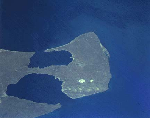
This is a TIMEDrace so you may RE-REGISTER HEREto try again after finishing a run. You will have two weeks to test your skill and decision making after the race opens.
Race #2066
INFOby brainaid.de
PARTICULARS
WX Updates:
0430 / 1030 / 1630 / 2230
Ranking:
TRQ4 - TRCH - SYC
RACE CLOSE: Saturday,
24 October at 23:00 UTC
Race starts: Oct 11th 12:00 Registration Open!
GO TO RACE
Roma Giraglia Regata 2026

Our eighth race of nine to celebrate all things Mediterranean - fickle winds, history and olive oil – is another buddy-up; this one with the Circolo Nautico Riva di Traiano . Founded in 1984, as the new Traiano yacht Harbour neared completion, the Circola since then has developed into one of the major yachting competition centres in Italy, and next to the 450nm Roma per Tutti (which SOL buddied earlier in the year), the Roma Giraglia Regata is its other headline offshore event. First raced in 2005, the 210nm course takes competitors from Traiano to a rock on the inside of the Ile de la Giraglia off the northern tip of Corsica and back to the Italian mainland for a finish in the bay of Santo Stefano. We’re racing this one in our Class 40!
Race #2058
INFO by brainaid.de
Class 40 PARTICULARS
WX Updates:
0430 / 1030 / 1630 / 2230
Ranking: MED - SUPBUD - SYC
Race starts: Oct 08th 16:00
Registration Closed
Arctic Tern - Greenland to Antarctica 2025

INFO by brainaid.de
Maxi Trimaran PARTICULARS
WX Updates:
0430 / 1030 / 1630 / 2230 Ranking:
OCQ4 - OCCH - SYC - MIG
Race starts: Oct 05th 11:00 Registration Closed
GO TO RACE
Cross the Convergence 2026 - Masirah to Chagos
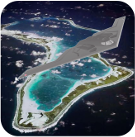
Having crossed, re-crossed and re-re-crossed the Convergence Zones of the Pacific and the Atlantic, we now face our second crossing of the Convergence Zone of the World’s third great equator-spanning sea, the Indian Ocean, taking us from the channel between Masirah Island and the Oman mainland to the Chagos Archipelago. It’s 1900nm and we’ll be sailing our very fine Archer 78, and won’t mention that both locations (of departure and arrival) are heavily militarized and the why’s and what next’s concerning that – mindful as always of SOL Netiquette.
Race #1988
INFOby brainaid.de
Archer 78PARTICULARS
WX Updates:
0430 / 1030 / 1630 / 2230
Ranking: CCZ - SYC
Race starts: Oct 02nd 18:00 Registration Closed
GO TO RACE
SYC Ranking

Series
- SYC ranking
- 2026 TSI
- 2026 TRQ4
- 2026 TRQ3
- 2026 TRQ2
- 2026 TRQ1
- 2026 TRCH
- 2026 TQD
- 2026 SUPerBUDdy
- 2026 SSANZ
- 2026 SPQ4
- 2026 SPQ3
- 2026 SPQ2
- 2026 SPQ1
- 2026 SPCH
- 2026 SHE
- 2026 ROW
- 2026 RNW
- 2026 RNI
- 2026 RMI
- 2026 RED
- 2026 OCQ4
- 2026 OCQ3
- 2026 OCQ2
- 2026 OCQ1
- 2026 OCCH
- 2026 NIA
- 2026 MIG
- 2026 MED
- 2026 LOOR
- 2026 CCZ
- 2026 BOL
- 2026 B2B
- 2025 TS
- 2025 TRQ4
- 2025 TRQ3
- 2025 TRQ2
- 2025 TRQ1
- 2025 TRCH
- 2025 TD
- 2025 SuperSOLer
- 2025 SSANZ
- 2025 SPRCH
- 2025 SPQ4
- 2025 SPQ3
- 2025 SPQ2
- 2025 SPQ1
- 2025 SHE
- 2025 SBB
- 2025 RWW
- 2025 RMI
- 2025 RED
- 2025 OCQ4
- 2025 OCQ3
- 2025 OCQ2
- 2025 OCQ1
- 2025 OCCH
- 2025 NT
- 2025 LOOR
- 2025 DN
- 2025 B2B
- 2025 ARQ4
- 2025 ARQ3
- 2025 ARQ2
- 2025 ARQ1
- 2025 ARCH
- 2025 ABS
- 2024 TS
- 2024 TRQ4
- 2024 TRQ3
- 2024 TRQ2
- 2024 TRQ1
- 2024 TRCH
- 2024 TD
- 2024 SVF
- 2024 SUPerSOLer
- 2024 SSANZ
- 2024 SPRQ4
- 2024 SPRQ3
- 2024 SPRQ2
- 2024 SPRQ1
- 2024 SPRCH
- 2024 SHE
- 2024 RTW
- 2024 RMS
- 2024 OCQ4
- 2024 OCQ3
- 2024 OCQ2
- 2024 OCQ1
- 2024 OCCH
- 2024 LOOR
- 2024 HILAT
- 2024 GWT
- 2024 DN
- 2024 CRW
- 2024 B2B
- 2024 ARQ4
- 2024 ARQ3
- 2024 ARQ2
- 2024 ARQ1
- 2024 ARCH
- 2023 TS
- 2023 TRQ4
- 2023 TRQ3
- 2023 TRQ2
- 2023 TRQ1
- 2023 TRCH
- 2023 TD
- 2023 SVS
- 2023 SUPerSOLer
- 2023 SSANZ
- 2023 SPRQ4
- 2023 SPRQ3
- 2023 SPRQ2
- 2023 SPRQ1
- 2023 SPRCH
- 2023 SHE
- 2023 RTW
- 2023 RNI
- 2023 RMS
- 2023 PIC
- 2023 OCQ4
- 2023 OCQ3
- 2023 OCQ2
- 2023 OCQ1
- 2023 OCCH
- 2023 LOOR
- 2023 DN
- 2023 ARQ4
- 2023 ARQ3
- 2023 ARQ2
- 2023 ARQ1
- 2023 ARCH
- 2022 TRQ4
- 2022 TRQ3
- 2022 TRQ2
- 2022 TRQ1
- 2022 TRCH
- 2022 TD
- 2022 Tall Ships
- 2022 SUPerSOLer
- 2022 SSANZ
- 2022 SSA
- 2022 SPRQ4
- 2022 SPRQ3
- 2022 SPRQ2
- 2022 SPRQ1
- 2022 SPRCH
- 2022 SHE
- 2022 OCQ4
- 2022 OCQ3
- 2022 OCQ2
- 2022 OCQ1
- 2022 OCCH
- 2022 NTR
- 2022 LOOR
- 2022 CTR
- 2022 ARQ4
- 2022 ARQ3
- 2022 ARQ2
- 2022 ARQ1
- 2022 ARCH
- 2021 TRQ4
- 2021 TRQ3
- 2021 TRQ2
- 2021 TRQ1
- 2021 TRCH
- 2021 TD
- 2021 Tall Ships
- 2021 SYCQ4
- 2021 SYCQ3
- 2021 SYCQ2
- 2021 SYCQ1
- 2021 SYCCH
- 2021 SUPerSOLer
- 2021 SSANZ
- 2021 SPRQ4
- 2021 SPRQ3
- 2021 SPRQ2
- 2021 SPRQ1
- 2021 SPRCH
- 2021 Shetland
- 2021 PAC6
- 2021 OCQ4
- 2021 OCQ3
- 2021 OCQ2
- 2021 OCQ1
- 2021 OCCH
- 2021 ESRW
- 2020 TSE
- 2020 TSA
- 2020 TRQ4
- 2020 TRQ4
- 2020 TRQ3
- 2020 TRQ2
- 2020 TRQ1
- 2020 TRCH
- 2020 Tasman Double
- 2020 SYCQ4
- 2020 SYCQ3
- 2020 SYCQ2
- 2020 SYCQ1
- 2020 SYCCH
- 2020 SUPerSOLer
- 2020 SSANZ
- 2020 SRQ4
- 2020 SRQ3
- 2020 SRQ2
- 2020 SRQ1
- 2020 SPRCH
- 2020 Shetland
- 2020 RTW
- 2020 RNI
- 2020 Odyssey
- 2020 OCQ4
- 2020 OCQ3
- 2020 OCQ2
- 2020 OCQ1
- 2020 OCCH
- 2020 A3
- 2019 TRQ4
- 2019 TRQ3
- 2019 TRQ2
- 2019 TRQ1
- 2019 TRCH
- 2019 Tasman Double
- 2019 Tall Ships
- 2019 SYCQ4
- 2019 SYCQ3
- 2019 SYCQ2
- 2019 SYCQ1
- 2019 SYCCH
- 2019 SUPerSOLer
- 2019 SSANZ
- 2019 SRQ4
- 2019 SRQ3
- 2019 SRQ2
- 2019 SRQ1
- 2019 SPRCH
- 2019 Shetland
- 2019 Round New Zealand
- 2019 OCQ4
- 2019 OCQ3
- 2019 OCQ2
- 2019 OCQ1
- 2019 OCCH
- 2018 TRQ4
- 2018 TRQ3
- 2018 TRQ2
- 2018 TRQ1
- 2018 TRCH
- 2018 Tasman Double
- 2018 Tall Ships
- 2018 SUPSOL
- 2018 SSANZ Triple
- 2018 SRQ4
- 2018 SRQ3
- 2018 SRQ2
- 2018 SRQ1
- 2018 SPRCH
- 2018 Shetland
- 2018 Shackleton Challenge
- 2018 OCQ4
- 2018 OCQ3
- 2018 OCQ2
- 2018 OCQ1
- 2018 OCCH
- 2018 40CH
- 2017 TS RDV
- 2017 TRQ4
- 2017 TRQ3
- 2017 TRQ2
- 2017 TRQ1
- 2017 TRCH
- 2017 Tasman Double
- 2017 Tall Ships
- 2017 SWR
- 2017 SUPSOL
- 2017 SSANZ Triple
- 2017 SSANZ RNI
- 2017 SPRR3
- 2017 SPRR2
- 2017 SPRR1
- 2017 SPRCH
- 2017 Red Dot
- 2017 OCQ4
- 2017 OCQ3
- 2017 OCQ2
- 2017 OCQ1
- 2017 OCCH
- 2017 40CQ3&4
- 2017 40CQ1&2
- 2016 TRQ4
- 2016 TRQ3
- 2016 TRQ2
- 2016 TRQ1
- 2016 TRCH
- 2016 Tasman Double
- 2016 Tall Ships
- 2016 SUPSOL
- 2016 SSANZ Triple
- 2016 SRQ4
- 2016 SRQ3
- 2016 SRQ2
- 2016 SRQ1
- 2016 SPRCH
- 2016 RTWR
- 2016 OCQ4
- 2016 OCQ3
- 2016 OCQ2
- 2016 OCQ1
- 2016 OCCH
- 2016 Corporate Open Gold
- 2016 A3
- 2015 TRQ4
- 2015 TRQ3
- 2015 TRQ2
- 2015 TRQ1
- 2015 TRCH
- 2015 Tasman Double
- 2015 Tall Ships
- 2015 SYQ4
- 2015 SYQ3
- 2015 SYQ2
- 2015 SYQ1
- 2015 SYCCH
- 2015 SUPSOL
- 2015 SSANZ Triple
- 2015 SRQ4
- 2015 SRQ3
- 2015 SRQ2
- 2015 SRQ1
- 2015 SPRCH
- 2015 OCQ4
- 2015 OCQ3
- 2015 OCQ2
- 2015 OCQ1
- 2015 OCCH
- 2015 Aegean Rally
- 2014 Timed Races Championship
- 2014 Tasman Double
- 2014 Tall Ships
- 2014 SYC Championship
- 2014 SSANZ Trio
- 2014 SSANZ RNI
- 2014 Sprints Championship
- 2014 Scandinavian Tour
- 2014 Round The World Race
- 2014 Ocean Championship
- 2014-2015 Sailonline World Race
- 2013 Tall Ships
- 2013 SYC Championship
- 2013 SSANZ B&G Simrad
- 2013 Capt Anderson
- 2012 W Australia Regatta
- 2012 Tall Ships
- 2012 SSANZ B&G Simrad
- 2012 RNZ Two Handed
- 2012 Global Challenge
- 2012 Ecker Cup
- 2012 Black Sea
- 2012 A3
- 2011 Vancouver Island
- 2011 Tasman Double
- 2011 SSANZ B&G Simrad
- 2011 SOL Global Challenge
- 2011 SJORA Series
- 2011 Scandinavian Tour
- 2011 Round North Island
- 2011 Asian Sprints
- 2011-2012 SOL World Race
- 2010 Tasman Double
- 2010 Ouzo Rally
- 2010 Iberian Tour
- 2010 Auckland Regional
- 2009 French SOLo
- 2009 Bosphore - Bretagne
- 2008 SYCC
- 2008 -2013 SYC Week Race Championship
- 2008 -2013 SYC Week-End Race Championship
- 2008 -2013 SYC Ocean Race Championship
- 2008-2009 Sailonline Ocean Race
- 2004 LOOR
Mobile Client
SYC members have the benefit of access to our mobile/lightweight web client!